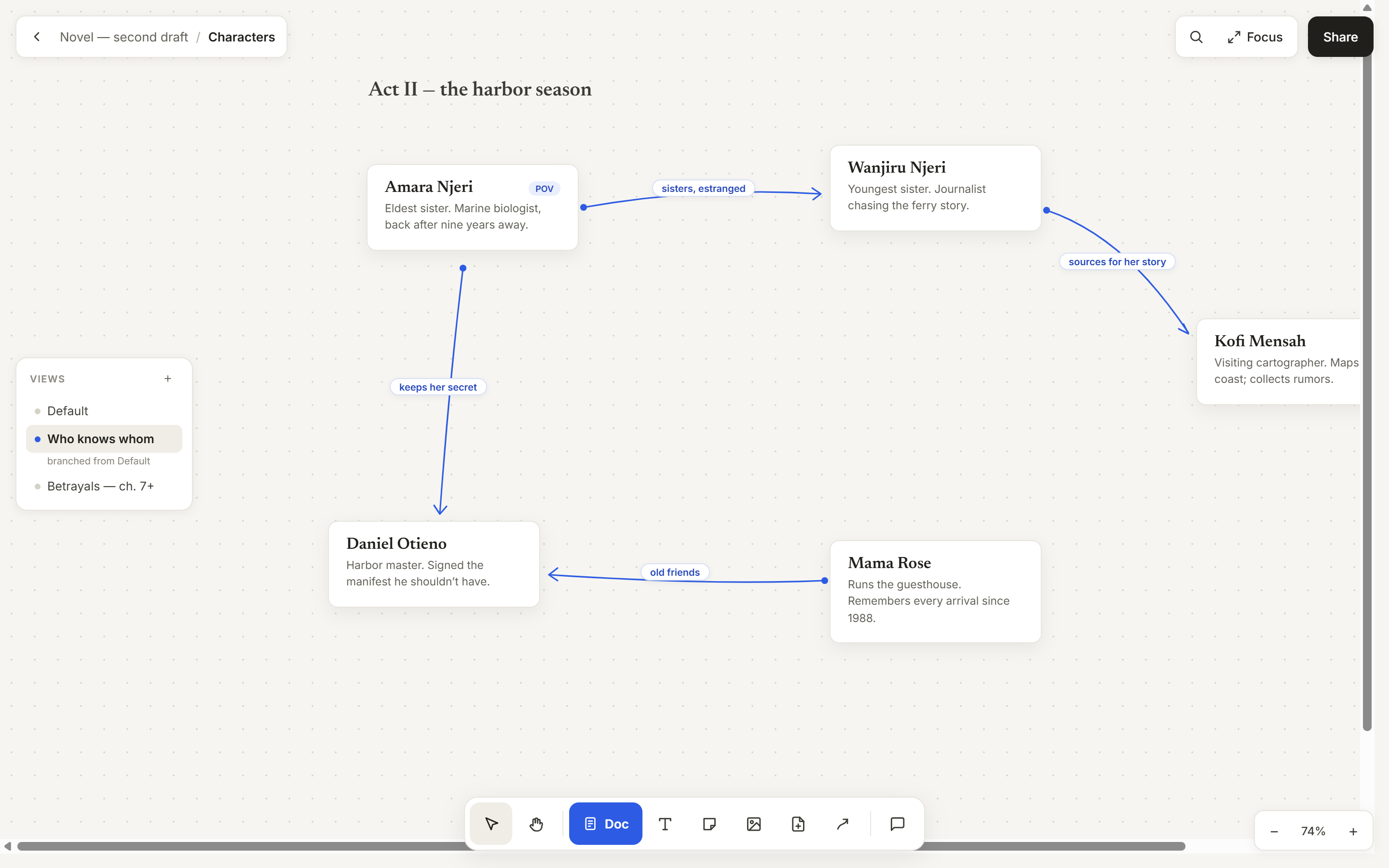
Views: the same cards, a different story
Connections pile up. A view maps a fresh set of relationships over the very same elements. Nothing moves; only the arrows you see change.
Expanse is a text editor built on an infinite canvas. Write finished documents right beside the PDFs, notes and sources they draw on, in one open workspace.
Please enter a valid email address.
Free for beta testers. We'll only email you about Expanse.
Your editor gives you one focused page and nothing else. Everything your writing draws on is scattered somewhere behind it.
Every switch between them costs you your place and your train of thought.
A fixed window shows one thing at a time, so working across sources turns into hide-and-seek.
Checking what you wrote earlier means scrolling away from where you're typing, then hunting for your spot again.
Copy a passage out of a PDF and it forgets where it came from. Rebuilding the reference is busywork.
Drag anything. The arrows follow, and their labels carry the meaning. Switch views to map a different set of connections over the same elements.
Their losses arrive slowly, through drought and price collapse, and their reference points drift with them Kahneman & Tversky, 1979.
Interactive demo. Drag the cards with your mouse or finger.
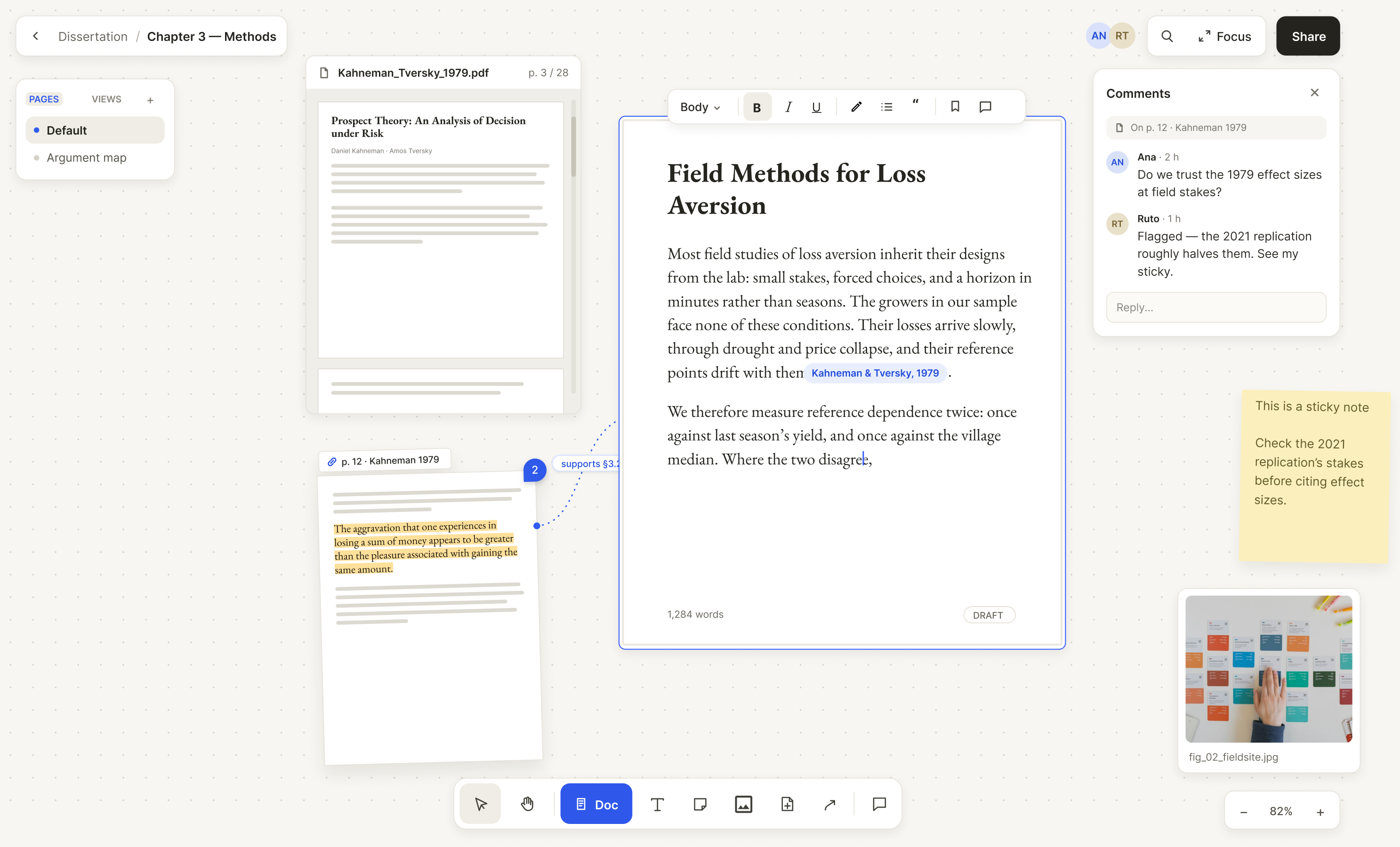
On the canvas, your draft sits among everything it draws on: PDFs you can search and highlight, pulled pages, figures, stickies and comments.
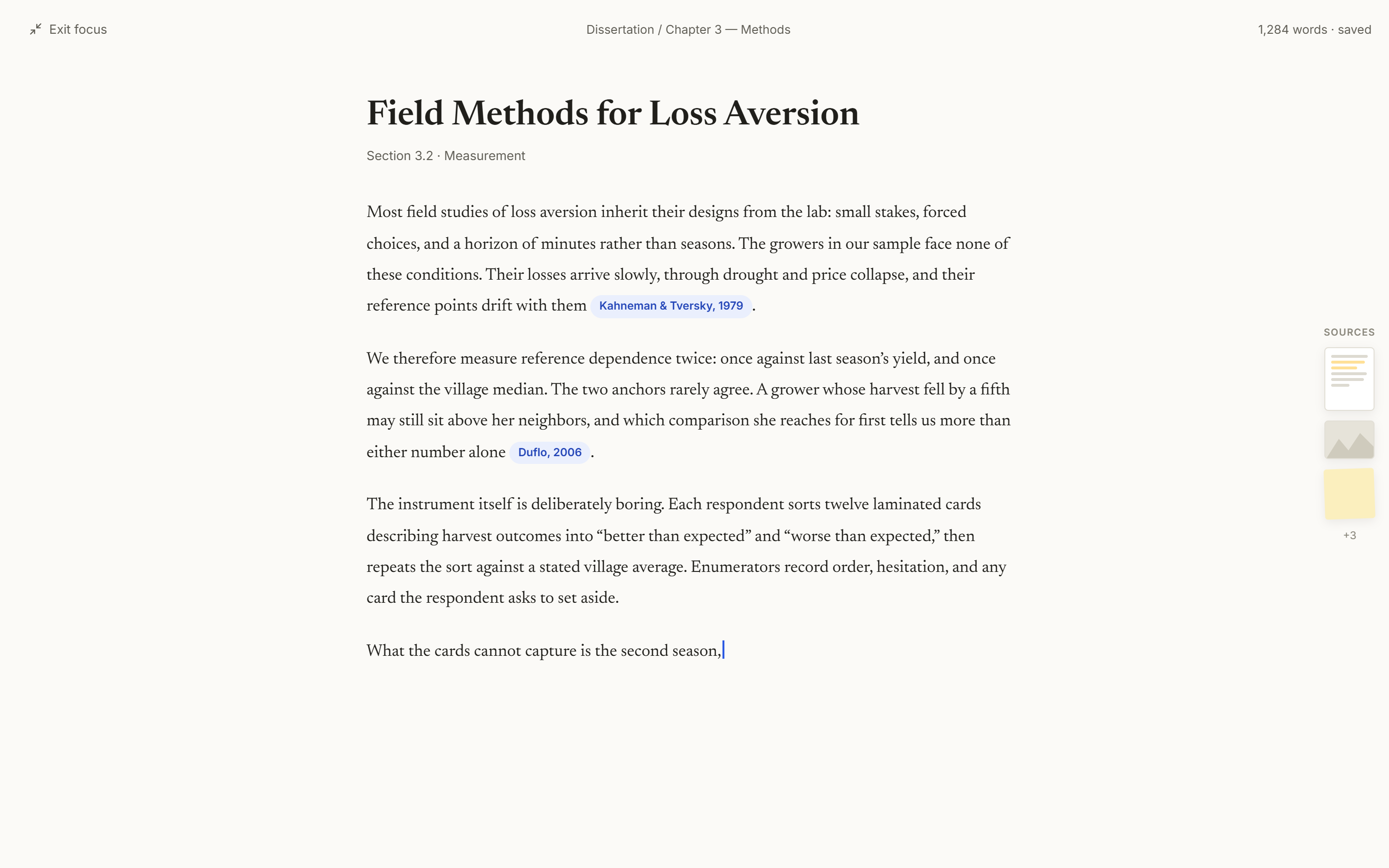
One click and the document fills the screen at a comfortable reading width, with a slim rail of pinned sources. One more click puts you back on the canvas, exactly where you were.
Connections pile up. A view maps a fresh set of relationships over the very same elements. Nothing moves; only the arrows you see change.
Drag a page or passage out of a PDF. Its tab names the file and page, and one click jumps back to the exact spot.
Park any page of your own writing on the canvas. Edits made in either place appear in both.
Any element can be cited. Citations appear as compact chips, and references compile from the connections feeding into a document.
Group elements and their connections, then move or collapse them as one. Duplicate a section for a ready-made setup per chapter or interview.
Comment on a document, a single page, an arrow or a sticky, and the thread opens right beside it. Share a canvas and work together with live presence, from a dissertation committee to a whole team brainstorming a new idea.
Our first users join as beta testers. You use Expanse free for your real writing, and your feedback decides what we build next, so it fits the way you actually work.
We're opening Expanse to beta testers first, for free. What would make it fit your writing? Reply with your email to join.
Count me in:
Please enter a valid email address.
Anything else? Join the waitlist and we'll send you the details as the beta opens.
Beta testers use Expanse for free. Join the waitlist to hear more about access, launch and pricing.
Use Expanse for your real work and tell us what helps, what gets in the way and what's missing. That feedback guides how the product develops, so it meets your needs.
Everyone on the waitlist gets an email with more information as beta access opens.
No. Document frames are real pages with headings, footnotes and full formatting, and you can export to DOCX or PDF at any time. The canvas is the workspace around your writing.
Yes. Canvases are shareable with live presence, and any element can be commented on. Teams can brainstorm with stickies and arrows, then write up the idea in a document on the same canvas.
A project holds any number of canvases and a shared source library, so a PDF imported once can be used on any canvas in it. A canvas is the infinite surface where the work happens: one per chapter, case, experiment or storyline.